
Citizen Times
USA TODAY Co.News & Magazines
2.957.00 Reviews
- Version
- 8.10.3
- Installs
- 10.00K
- Age Rating
- Everyone 10+
Screenshots


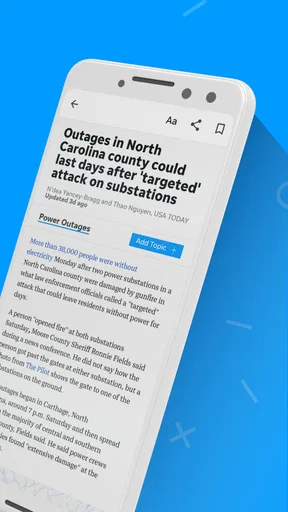

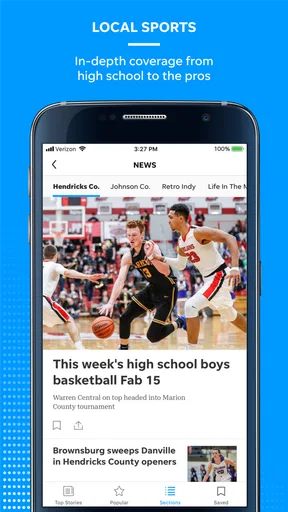


Our Review of Citizen Times
 Analysis by Appyee
When I want a quick look at what is happening around Asheville and the wider western North Carolina area, I prefer a local newsroom’s perspective over a national feed that treats every story as background noise. That is where Citizen Times makes sense. It is a free news and magazines app from USA TODAY Co., built around local and national reporting, photography, and video rather than a general-purpose social feed.
My experience with it is best understood as a complete reading routine: I open it when I need local context, scan the available coverage, choose a story, follow the visual material when it adds something, and then decide whether the app deserves a regular place on my phone. The app is not flawless, and its average rating of 2.9 from roughly 150 ratings suggests that some readers have encountered frustrations. Still, I found a useful product underneath those rough edges, especially for people who care about local developments but also want a connection to broader news.
How quickly a useful session gets going
For a quick check, I would not expect Citizen Times to behave like a stripped-down alert ticker. Its value is in opening a path from a local headline to a fuller story, and that takes more attention than glancing at a notification. I’d use it when I have a few spare minutes rather than when I need an answer in seconds. A steady connection and a device that handles current apps comfortably will matter more than any promise of instant access.
One practical way to keep the session moving is to decide before opening the app whether I’m checking for a local development or looking for wider context. That small choice cuts down on aimless scrolling. If I’m checking one community issue, I can focus on the relevant coverage and leave unrelated national stories for another time; if I’m after a broader picture, I can treat the local reporting as a starting point rather than trying to make it cover every beat.
From a local question to a useful news session
I find it helpful to begin with a specific local question rather than opening the app simply to scroll; that gives a short news session a clear purpose and makes it easier to tell whether a story merits more attention. From there, I can judge how well the app turns a nearby headline into useful context.
Starting with the right reason to open it
The strongest use case is not endless browsing. I would open Citizen Times with a question in mind: what changed locally, what issue is affecting the community, or what story deserves more attention than a headline in a national app can provide? That mindset makes the experience more focused. Instead of expecting a complete replacement for every news source, I treat it as a local doorway with national material around it.
That distinction matters because local news apps are most valuable when they provide place-specific reporting. A national aggregator may be faster for breaking headlines across the country, but it rarely gives the same sense of why a local event matters to residents. Citizen Times is aimed at that gap. Its coverage combines local and national news, while its photography and video can make a community story easier to understand than text alone.
I also like that the app is free to install. That lowers the barrier for a casual reader who wants to test the newsroom before committing to a regular habit. At the same time, in-app purchases range from $14.99 to $69.99 per item, so I would pay attention to any subscription or purchase screen rather than assuming every part of the reading experience is included without cost.
What I look for during the first scan
My first pass is deliberately quick. I look for the stories that are immediately relevant, then separate them from pieces that are interesting but less urgent. This is where the app’s visual material has practical value. A strong photo can help me recognize a location or understand the scale of an event before I read every paragraph. Video can be more useful when the story depends on a public statement, a scene, or an unfolding situation.
That does not mean I treat every image or clip as decoration. I use it as a signal for deciding how much time to give a story. If the visual element explains the setting, I continue. If it merely repeats the headline, I move on and save time. This is a small workflow improvement, but it prevents the app from becoming another feed that I scroll without retaining anything.
Following one story instead of jumping between headlines
Once I find a relevant item, I read it as a single piece rather than opening several stories at once. That reduces the usual mobile-news problem of losing the original thread. For a local issue, I want to understand the event, the people or institutions involved, and the immediate consequence. The app works better for me when I give one article enough attention to build context.
A useful habit is to pause after reading and ask what action the article supports. Sometimes the answer is simply awareness. In other cases, I may want to discuss the issue, check another source, or return later for an update. Citizen Times is most effective at the first stage: helping me identify and understand local developments. I would not rely on one app alone for high-stakes decisions, but that is a sensible rule for any news service.
Using national coverage as context, not a replacement
The national side of the app is helpful when a local story connects to a larger subject. It lets me move from a community-level report to wider background without leaving the app immediately. That handoff can be convenient during a short break, especially when I want a broader frame before deciding whether a local issue deserves deeper research.
However, I would not choose this app over a dedicated national news service if national reporting is my main goal. A specialist national app will usually be a better fit for someone who wants extensive political, business, international, or live-breaking coverage. Citizen Times earns its place through local relevance first; the wider material is a supporting layer.
Where the handoffs become important
The most realistic everyday scenario for me is a morning commute or lunch break. I open the app with only a few minutes, scan for local developments, read one article, and use a photo or video to decide whether another story deserves attention. If the subject affects my neighborhood or people I know, I may pass the information along. If it is a broader national item, I may compare it with a service designed specifically for that beat.
That workflow involves several handoffs: from headline to article, from text to visual material, and from local reporting to outside verification or broader context. The app is useful when each transition feels natural. It is less satisfying when I have to interrupt reading because a story leaves important context unclear or because the app’s presentation gets in the way of the content.
For families, the age rating of Everyone 10+ is worth keeping in mind. I would still use personal judgment with younger readers because news can cover difficult subjects even when an app is not aimed at adults only. For students, the app can be a convenient starting point for understanding local issues, but I would encourage them to check original documents or additional reporting before using an article as the sole source for schoolwork.
The practical outcome after a short session
After a good session, I come away knowing which local stories deserve my attention and why they matter. That is a better result than simply collecting headlines. The photography and video can improve that understanding when they provide real evidence or atmosphere, while the combination of local and national material helps me connect a nearby event to a larger conversation.
Citizen Times is also lightweight in purpose. It does not need to become the only news app on my phone. I see it as a focused local source that I can open when community reporting matters. That makes the free entry point appealing, particularly for occasional readers who are not ready to pay for several separate publications.
The app has been available since June 29, 2012, and its current version is 8.10.3. It supports devices running Android 8.0 or later. Those details make it accessible to many older Android phones, although real-world smoothness can still depend on the device and operating system. The install base is over 10K, which indicates a modest audience rather than the scale of a mass-market national news platform.
Stability, recovery, and device limits
I would judge reliability by repeating the same simple routine across several sessions: open the app, find a local story, read it, then return later and see whether the experience remains comfortable. If a screen stalls or the app closes, the most useful recovery is to reopen it and return to the story from the coverage feed rather than assume the reading position will always be preserved. I would avoid relying on a news app as the only route to time-sensitive information, regardless of how well it behaves on one phone.
Because news pages can combine text with large photographs and video, a weaker connection or an older handset may make the visual portions feel heavier than a text-only reader. If the app feels sluggish, I’d first try reading without opening every clip and check whether the same issue appears on a stronger connection. That helps distinguish a temporary network delay from a device limitation without treating either as a confirmed fault in the app.
On a phone with limited storage or battery, I’d use the app for purposeful sessions instead of leaving it open while moving between other tasks. That is a general, sensible way to manage media-heavy reading, not a claim that Citizen Times is unusually demanding. The minimum Android requirement is 8.0, but meeting it does not guarantee identical responsiveness across devices; screen size, available resources, and connection quality can all affect how comfortable a session feels.
Where the flow breaks for me
The first weakness is expectation management. A reader who wants a polished, comprehensive national news hub may find the local emphasis too narrow. Conversely, someone seeking only neighborhood coverage may not care much about the national material. The app has a clear identity, but it is not equally suited to both audiences.
The second issue is that free access can create uncertainty around the boundary between reading and purchasing. Because individual in-app purchases can be substantial, I would read the wording carefully before confirming anything. This is especially important for someone who installs the app casually and assumes that every article, feature, or future reading session follows the same access model.
The rating also tells me to approach the experience with realistic expectations. A 2.9 average is not a reason to dismiss the app automatically, but it is a prompt to judge the current version on my own device. News apps can feel very different depending on screen size, connection quality, and how often a person encounters the content they actually want. I would install it, test a few reading sessions, and decide whether the local value outweighs any friction before considering a purchase.
Another limitation is the natural trade-off between speed and depth. A mobile interface encourages short scans, but local reporting often benefits from careful reading. If I only skim headlines, I lose much of the app’s value. The better approach is to use the feed for discovery and reserve attention for the stories that affect my community. Readers unwilling to slow down occasionally may prefer a simpler headline aggregator.
Who should use it, and who should choose something else
I would recommend Citizen Times to residents, former residents, visitors with an interest in the area, and anyone who wants local reporting in a convenient mobile format. It is particularly suitable for people who appreciate visual journalism and want national context without opening a separate app every time. The free installation makes it easy to try without making an immediate commitment.
I would steer daily national-news enthusiasts toward a larger national publication or a multi-source aggregator. I would also suggest a different option to readers who need a highly predictable, subscription-transparent experience and do not want to inspect purchase prompts. Finally, people who want only alerts and headlines may find a dedicated alert service faster, while Citizen Times is better when the goal is to read and understand a story.
For readers deciding whether it fits their routine, I’d start with one local question rather than trying to judge it from a long browsing session. Check whether the coverage is relevant to your area and whether the visual elements help explain the stories you care about. If the answer is yes, it can complement a national app; if you mainly want a stream of immediate alerts or a broad national briefing, there is little reason to force it into that role.
For my own routine, the best method is simple: open it with a local question, scan visually, read one substantial story, use national coverage for context, and verify important claims elsewhere when the stakes are high. That keeps the app from becoming background noise and makes its local focus work in its favor.
My final assessment after using the full workflow
Citizen Times is most valuable as a local-news starting point, not as an all-purpose replacement for every news source. I like the way it connects community reporting with photography, video, and selected national coverage. The experience can turn a few spare minutes into a clearer understanding of what is happening nearby, which is something broad aggregators often fail to provide.
My recommendation comes with conditions. I would test the current version on my phone, watch carefully for purchase choices, and keep another source available for national depth or confirmation. If local relevance is the reason you are installing a news app, the product is worth trying. If your priority is exhaustive national coverage, instant alerts, or a completely friction-free reading experience, another service will probably suit you better.
In short, I see this as a practical companion for readers who want to stay connected to their community without giving up access to wider stories. It does not eliminate the need for other sources, but it can give a local news habit a clear starting point and a more personal sense of place.
Verdict
Strengths of Citizen Times
- Clear local reporting focused on the Asheville and Western North Carolina community.
- Covers breaking news, politics, education, business, and local events in one app.
- Useful for readers who want regional stories beyond national news coverage.
- Article layouts are generally easy to scan on a phone.
- Helps users stay informed about issues affecting nearby communities.
Limitations of Citizen Times
- Some stories may require a subscription or account to access in full.
- Coverage is geographically limited for readers outside Western North Carolina.
- Notifications can feel excessive if too many breaking alerts are enabled.
- The app may offer fewer interactive features than larger national news apps.
- Content availability and update frequency can vary by news category.
Other Releases by USA TODAY Co.
View All
IndyStar: Indianapolis Star
News & Magazines2.7

AZ Central: Arizona Republic
News & Magazines2.5

The Detroit News: Local News
News & Magazines3.1

Detroit Free Press: Freep
News & Magazines3.0
Similar Picks in This Category
View All
Google News - Daily Headlines
Google LLC4.0

X
X Corp.4.8

Flipboard:Your Social Magazine
Flipboard3.4

Opera News: breaking & local
Opera4.5

Hindi News by Dainik Bhaskar
Dainik Bhaskar Group4.0

Way2News Daily News App
Way2News ( Formerly Way2SMS )4.6
Frequently Asked Questions
What is Citizen Times, and what can I use the app for?
Citizen Times is a news and information app focused on delivering local and regional coverage, particularly stories relevant to communities served by the Citizen-Times publication. After installing it, readers can browse breaking news, politics, business, entertainment, sports, lifestyle, and other local topics. It is useful for keeping up with developing stories and checking headlines without relying only on social media feeds.
Is Citizen Times free to download and use?
The Citizen Times app can generally be downloaded at no cost, allowing users to install it and explore available articles, sections, and headlines. However, access to all content may depend on the publication’s subscription or membership policy. Some stories can be limited to subscribers, and the app may present subscription offers. Check the current terms shown in the app before assuming every article is available without payment.
Does Citizen Times require an account or subscription?
You may be able to open the app and read certain content without creating an account, but an account can be required for personalized features, saved articles, notifications, or subscriber-only stories. A paid subscription may also be necessary to remove article limits or unlock the complete digital edition. Registration and subscription options can change, so review the sign-in and membership screens during setup.
What features are available in the Citizen Times app?
The app typically provides organized news sections, article reading, search or browsing tools, breaking-news notifications, and options for sharing stories. Depending on the current version, users may also find saved content, subscriber access, multimedia reports, and a digital newspaper experience. Notifications are particularly helpful for urgent local updates, although you can disable or customize them through the app or device settings.
Is Citizen Times available for both Android and iPhone, and what should I check before downloading?
Citizen Times may be available through official app stores for Android and iOS, but availability, supported versions, and features can differ by device and region. Before downloading, check the developer name, recent update date, user reviews, storage requirements, and privacy information. Also confirm that your phone’s operating system is supported and that you are installing the official application rather than an unrelated news app.
